Student Dashboard
Your My Lessons dashboard is your home base. It adapts to any screen size and keeps your most important tasks front and center.
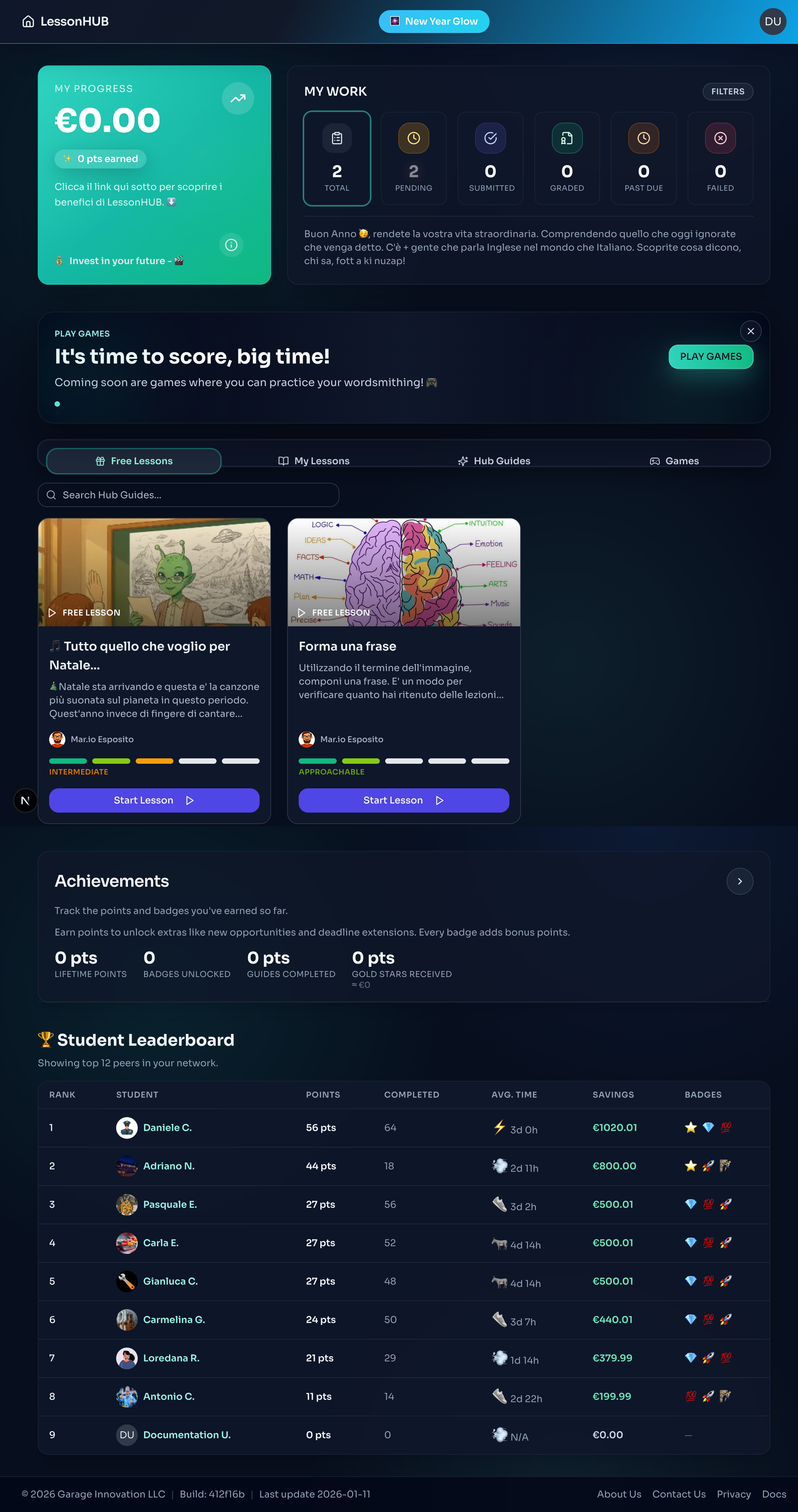
Stats Header
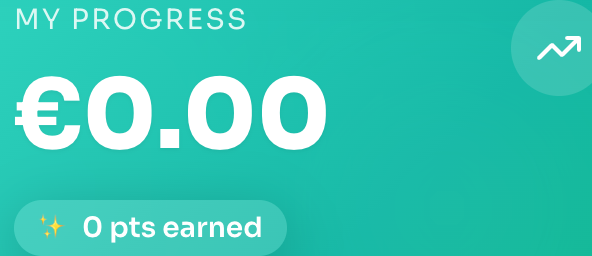
At the top, you see a quick summary of your progress:
- Value Earned / Total Points: Your lifetime impact on the platform.
- Assignment Chips: Quick filters for Pending, Submitted, Graded, Failed, and Past Due. These update in real-time.
- Settings Link: Check here for teacher notices or pacing guidelines.
Tabs: Lessons & Hub Guides

- Lessons Tab: Your main view. Use the search bar to find lessons by title or teacher.
- Hub Guides Tab: Available if you have an active plan. Browse extra learning materials here.
Assignment Cards
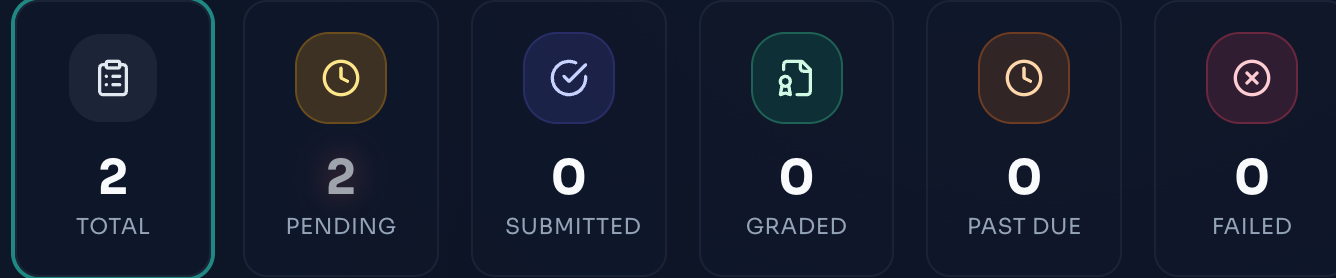
Each lesson appears as a card:
- Cover Image: Visual context for the lesson.
- Status Badge: Instantly see if work is Pending, Graded, or Overdue.
- Difficulty Meter: Filled bars show how challenging the lesson is.
- Footer Actions:
- Teacher Avatar: Click to visit the teacher's profile.
- Share: Copy the lesson link or share via your device.
- Practice: Launch flashcards or quizzes.
- Deadline: Shown in 24-hour format. Turns red when overdue.
Gamification: Points & Rewards
LessonHub rewards consistent effort. Here is how the points system works:
Earning Points
- Graded Assignments: You earn points based on your score.
- Gold Stars: Teachers can award a Gold Star for exceptional work. This gives you a significant boost in both Points and Euro Savings.
Penalties (Watch Out!)
Sometimes points are deducted to simulate real-world costs:
- Extensions: Need more time? Asking for a deadline extension costs 200 points.
- Composer Lessons: In these special lessons, you have a set number of tries. Every extra try costs 50 points.
Practical Examples
Scenario A: The Perfect Run
You complete an assignment perfectly and get +100 points. Your savings grow!Scenario B: The Extension
You do great work (+100 points) but you asked for an extension (-200 points).
Result: -100 points. It is better to submit on time!Scenario C: Composer Tries
You are stuck on a hard question and use 3 extra tries.
3 extra tries x 50 points = -150 points.
Even if you get the answer right, those attempts cost you.
Games
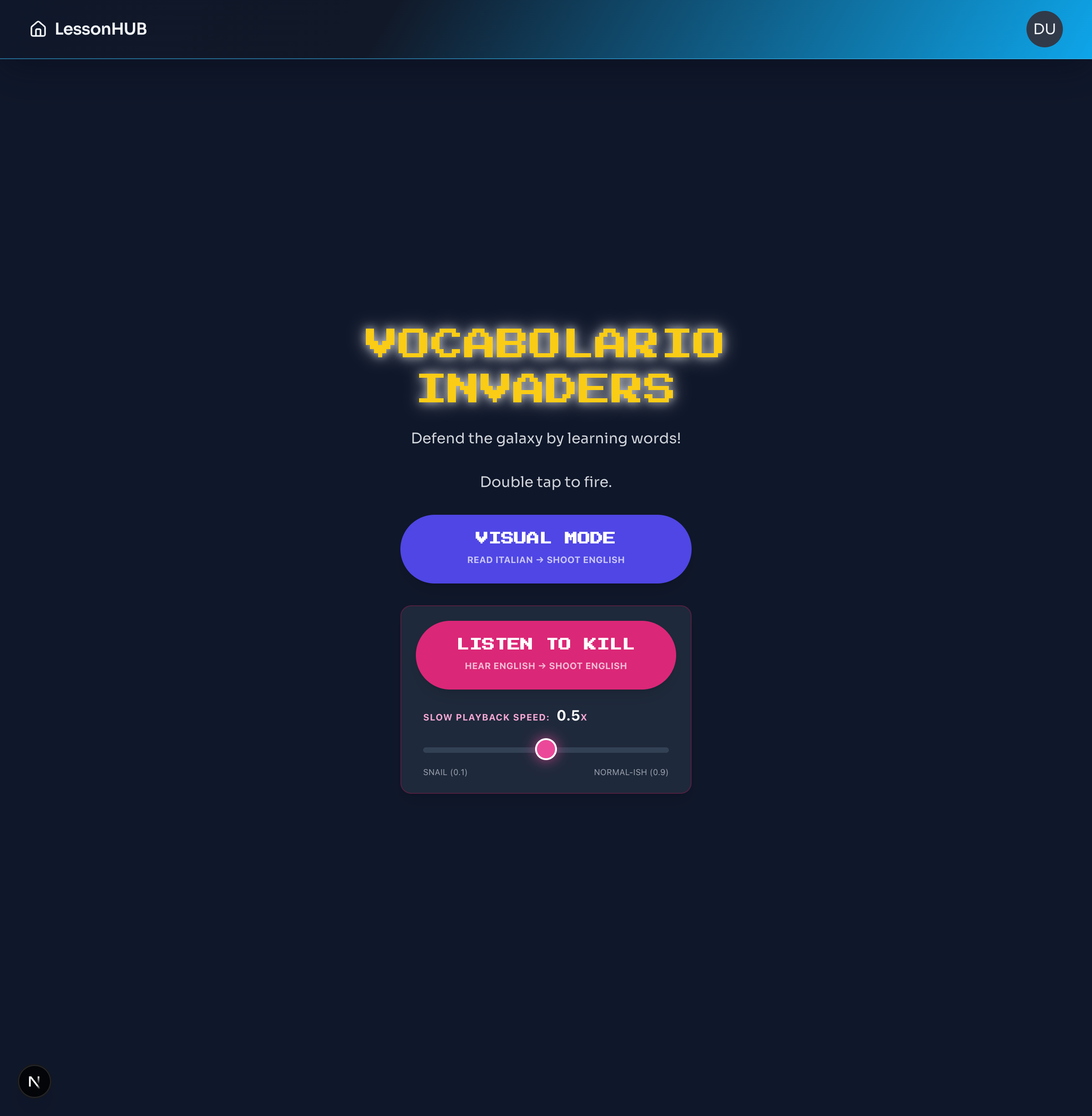
- Accessible via the Games tab or the "Play Games" card.
- Games like "Vocabolario Invaders" help you practice vocabulary in a fun, arcade-style environment.
- Choose your difficulty and visual/audio modes to customize your learning experience.
Leaderboard
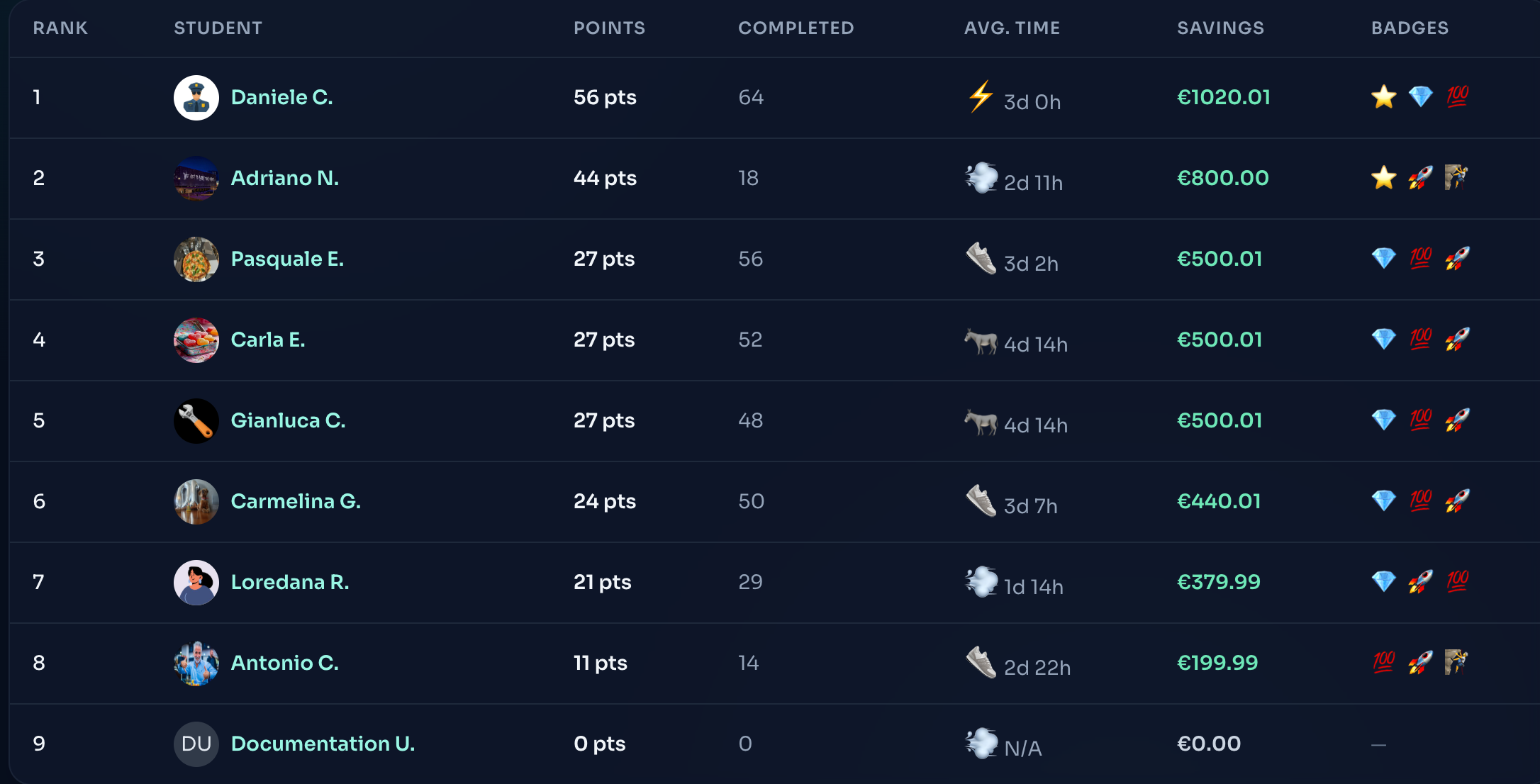
See where you stand among your peers:
- Desktop: View a full table with Rank, Speed Tier, and Savings.
- Mobile: A compact card view for easy checking on the go.
- Savings Trends:
- Green: Positive savings (Good job!).
- Red: Negative savings (Time to earn some points!).
- Gray: Break-even.
Hub Guide Banner
- Premium Students: You can dismiss the banner after reading it.
- Free Members: The banner encourages you to unlock the full library via Profile → Billing.